Etsy AI assistant ASK ONCE. Get the measurement — and the work.
Tell the Assistant what you want to sell. It measures Etsy live, proposes the designs, room mockups, SEO and Etsy draft, and shows the price on a card. Nothing runs until you approve it.
1 credit per message · 2 with live Etsy data
THE PROBLEM
Ten tabs for one listing.
Research in one tool, design in another, mockups in a third, SEO somewhere else — and a general AI chat that guesses at Etsy instead of looking. Every hop costs time, and every guess can cost a listing.
THE ASSISTANT
One conversation, all the way to a draft.
Ask in plain words. The Assistant looks at Etsy before it answers, then runs Optimsy's own studios for you — Wall Art, mockups, SEO, Photo Studio, Clip Art, E-book — and hands you an Etsy draft. You are still the one who says go.
MEASURED, NOT GUESSED
It looks at Etsy before it answers.
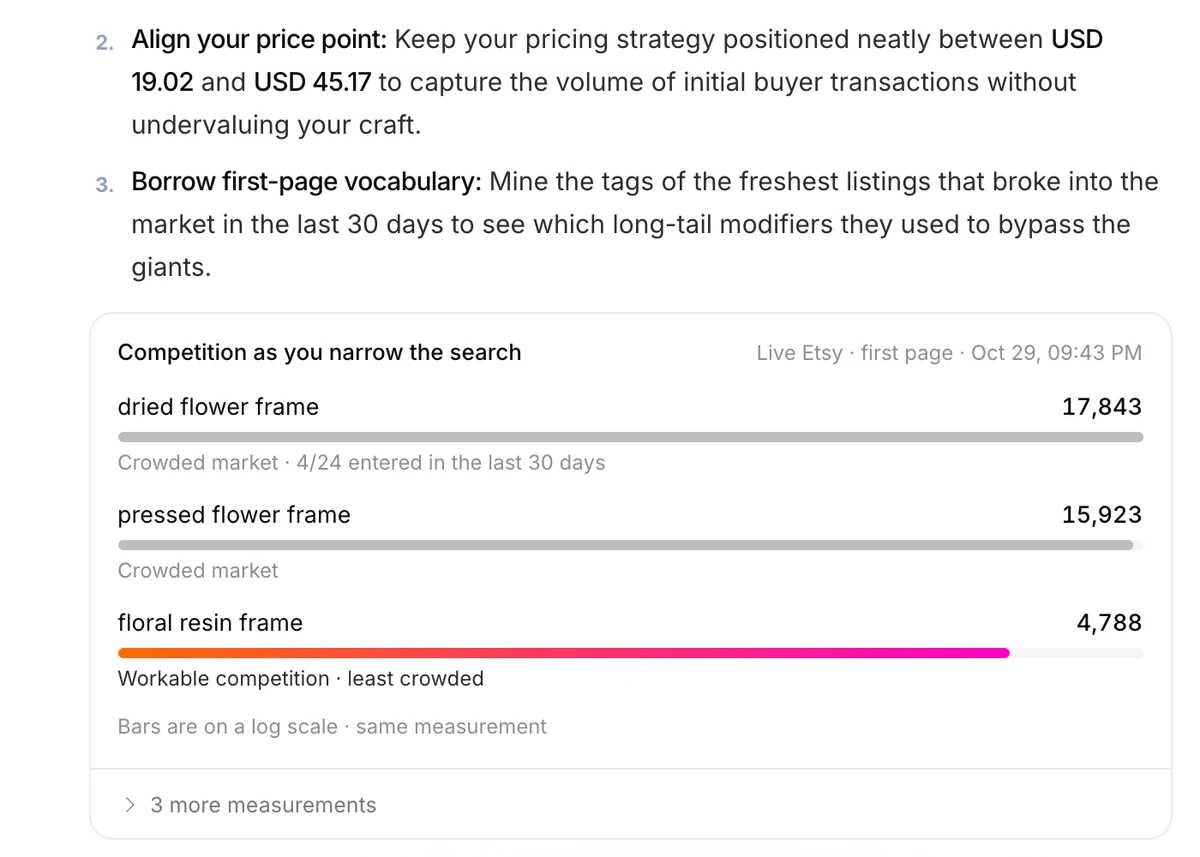
When your question needs data, the Assistant measures up to three search phrases on Etsy right then and shows the result as a card inside the answer. If a measurement fails, the message is charged at the plain 1-credit rate.
- Active listings, and how crowded the first page is
- New listings that entered in the last 30 days
- The price band — low, median and high
- The tags the first page uses most
YOU APPROVE, IT RUNS
Every credit is a card you press.
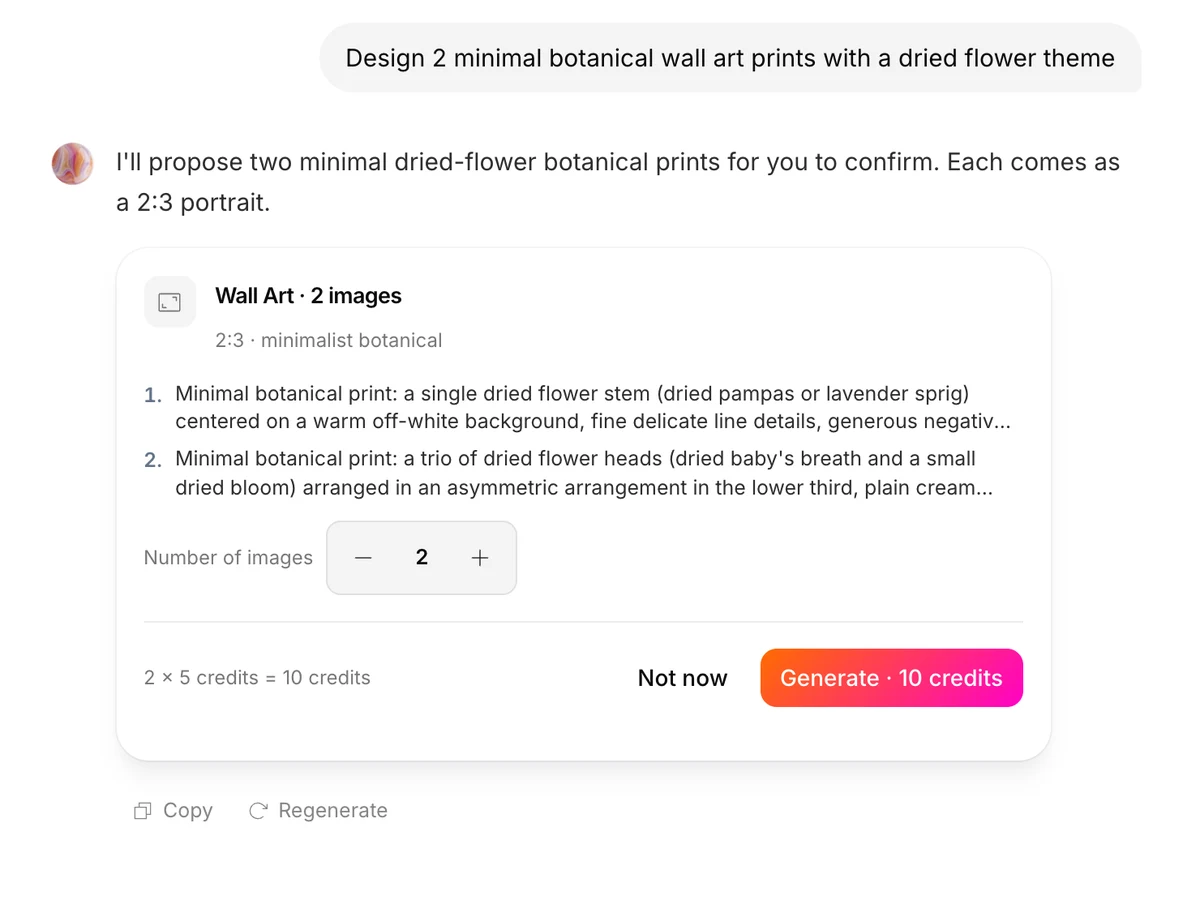
Anything that costs credits arrives as a card: what will be made, how many, and the exact price. Change the count, say not now, or press go. The price is checked again on the server when you confirm.
- Up to 4 designs per card
- Nothing runs on its own — not even a draft
- Cards expire after 30 minutes, so an old price can't fire
- Change the count before you approve
WHAT IT CAN DO
It researches. It makes. You decide.
Reading your shop costs nothing extra. Making always goes through a card with its price.
Measure a niche
Rival count, new entrants and price band for up to three phrases, live from Etsy.
Read your shop
Your connected Etsy listings, prices and last-30-day sales, at no extra cost.
Search the web and your files
Web search when you switch it on; product photos, PDFs, CSV or TXT — up to 4 per message.
Design wall art
One to four designs per card, in the ratio you need.
Room mockups
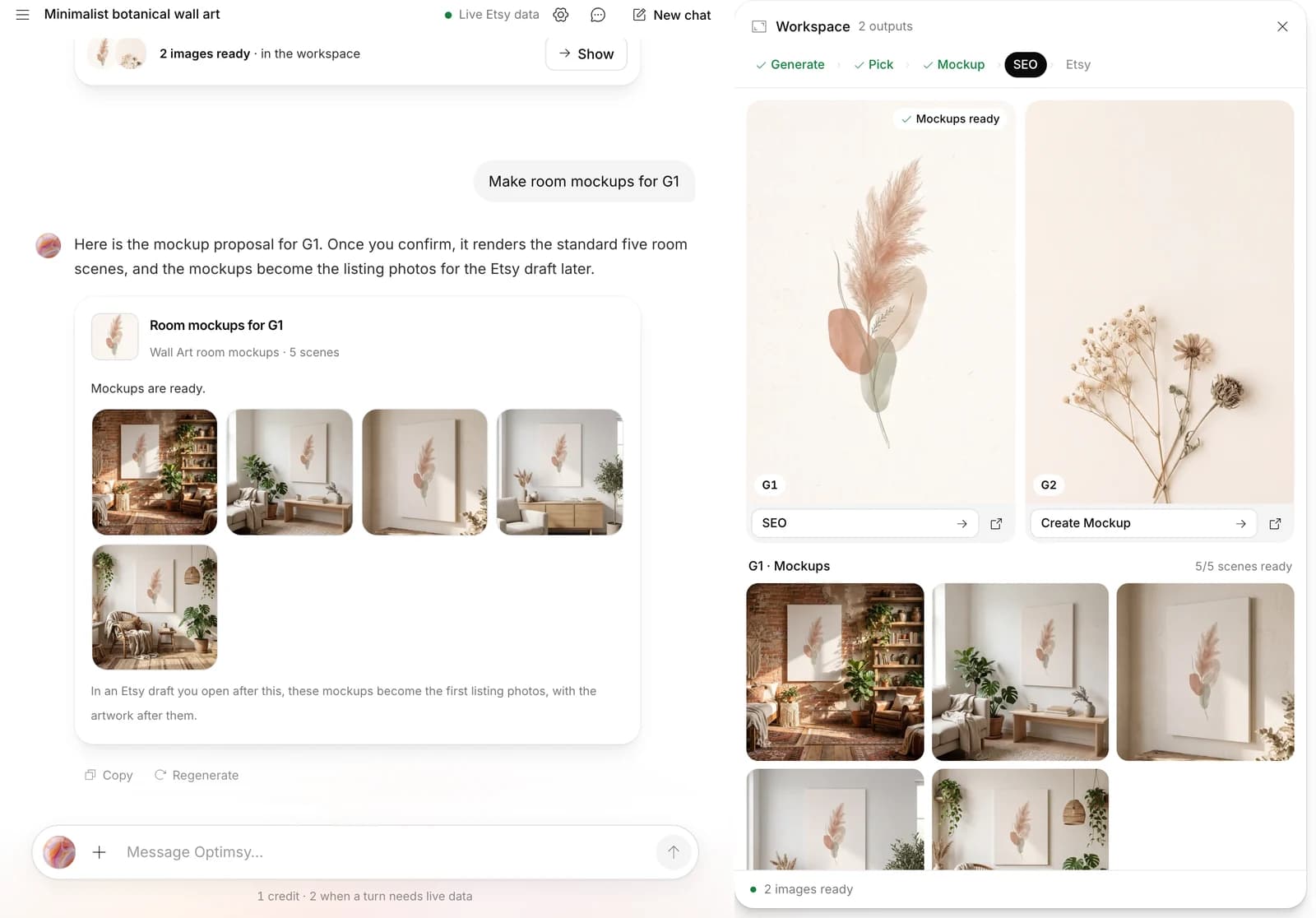
Five room scenes by default, up to ten — they become the first photos of your listing.
Write Etsy SEO
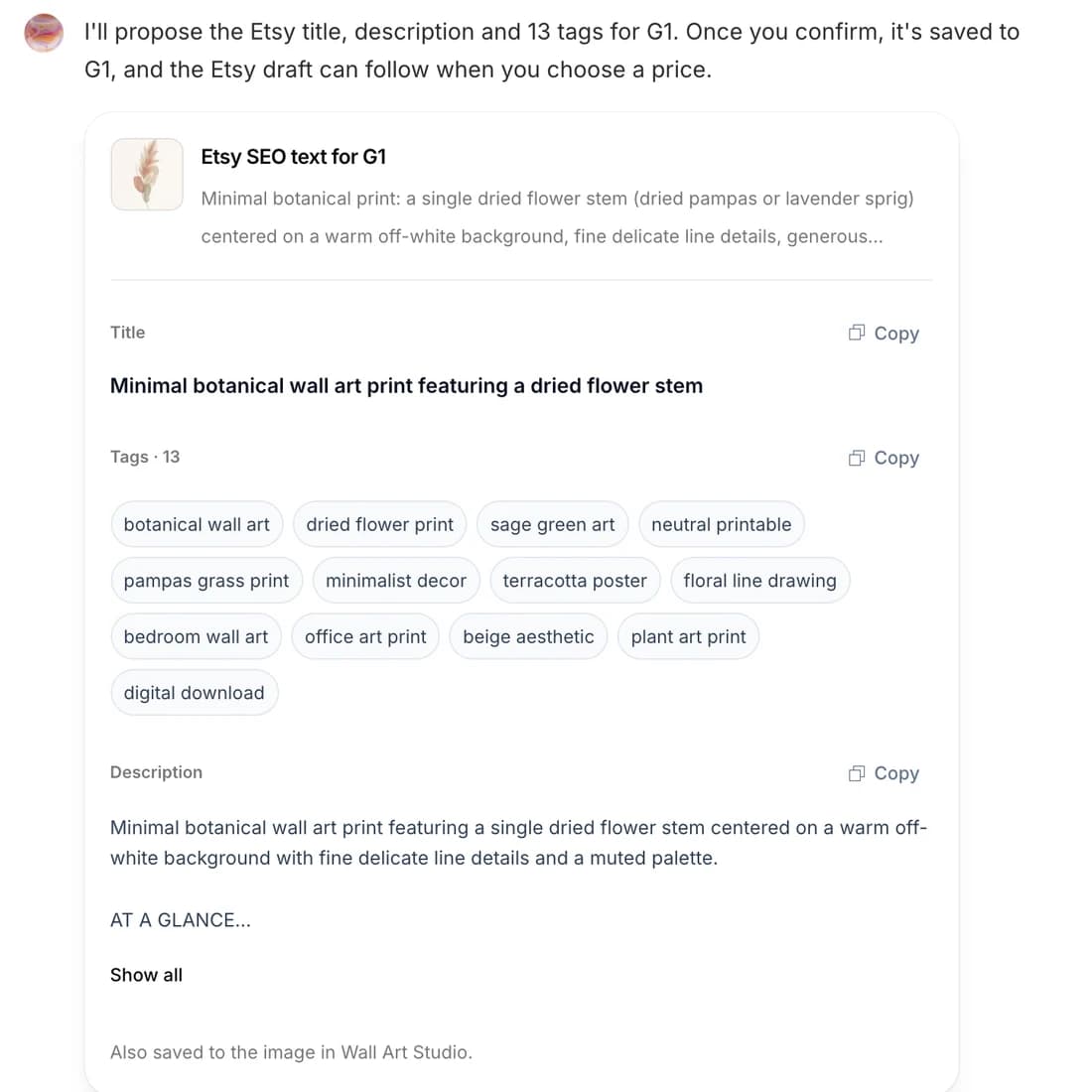
A title, a description and 13 tags, saved to the design.
Open an Etsy draft
A draft in your shop with the mockups first. Publishing is a separate, explicit choice.
Photos, clip art, e-books
Photo Studio shots from your product photo, transparent clip art sets, PDF + EPUB e-books and multi-day launch plans.
THE WORKSPACE
From G1 to an Etsy draft.
Every approved design lands in the workspace as G1, G2… and moves along Generate → Pick → Mockup → SEO → Etsy. Say "use G2" and the Assistant picks up from there. The SEO it writes is saved to the design in Wall Art Studio too.
IT REMEMBERS
Tell it once.
Say "my prices are $10–15" or "I sell boho wall art" and the Assistant keeps it as a note — your price range, your style, your keywords, your key dates. Every note is listed in settings: edit it, delete it, or switch memory off.
- Six kinds of note: you, your shop, style, keywords, dates, working preferences
- Takes no notes from messages that include web results, images or documents
- Up to 80 notes, kept until you delete them
HOW IT WORKS
Three steps, one chat.
Ask in plain words
Write what you want, or attach a product photo or a PDF. There are no commands to learn.
It measures and proposes
When data is needed it measures Etsy right then; when something needs making, it prepares a card with the price.
Approve and keep going
Press the card and the result lands in the workspace. Then say "make mockups for G1" and carry on.
WHAT IT COSTS
The price is always on the screen.
A message
1 credit
A plain answer, with your shop and your notes included.
With live Etsy data
2 credits
Only when a phrase hasn't just been measured. If the measurement fails, you pay the plain rate.
Web search
+2 credits
Only when you switch it on and it finds results.
Making something
On the card
The studio's own price — for example 2 designs × 5 credits = 10. Nothing runs until you press it.
Errors, empty answers and Stop are refunded in full.
Questions sellers ask
Is this just ChatGPT for Etsy?
No. A general chat answers from what it already knows. The Assistant measures Etsy live when your question needs data, reads your own connected shop, and runs Optimsy's studios to make the actual listing assets.
Will it spend my credits without asking?
No. Answers cost 1 credit per message, 2 when it measures Etsy live. Anything that makes something — designs, mockups, SEO, an Etsy draft — arrives as a card with the exact price and runs only when you press it.
Does it publish to my Etsy shop?
It opens a draft. Publishing is a separate, explicit option on the card, so nothing goes live on its own.
What does it remember, and can I turn it off?
Only things you tell it, such as your price range or style. Every note is listed in settings, where you can edit or delete it — or switch memory off entirely.
Which tools can it use?
Wall Art designs and room mockups, Etsy SEO, Etsy drafts, Photo Studio shots from your product photo, Clip Art sets and their mockups, E-books (PDF + EPUB) and multi-day launch plans.
What happens if a measurement fails?
The message is charged at the plain 1-credit rate instead of the live-data rate. Errors, empty answers and Stop are refunded in full.
Can I upload my product photo or a document?
Yes. JPEG, PNG or WebP images, PDFs up to 10 MB and 30 pages, and CSV or TXT files up to 1 MB — up to 4 attachments per message.
STOP SWITCHING TABS.
Ask the Assistant.
Start with a question you already have about your shop. The first answer shows you what it measured.
1 credit per message · every job shows its price before it runs
Free tools
Try it free, no account needed
These Etsy tools run in your browser without signing up. Start here and move to the dashboard when you need more.