Etsy competitor analysis WATCH THE SHOPS that shape your market
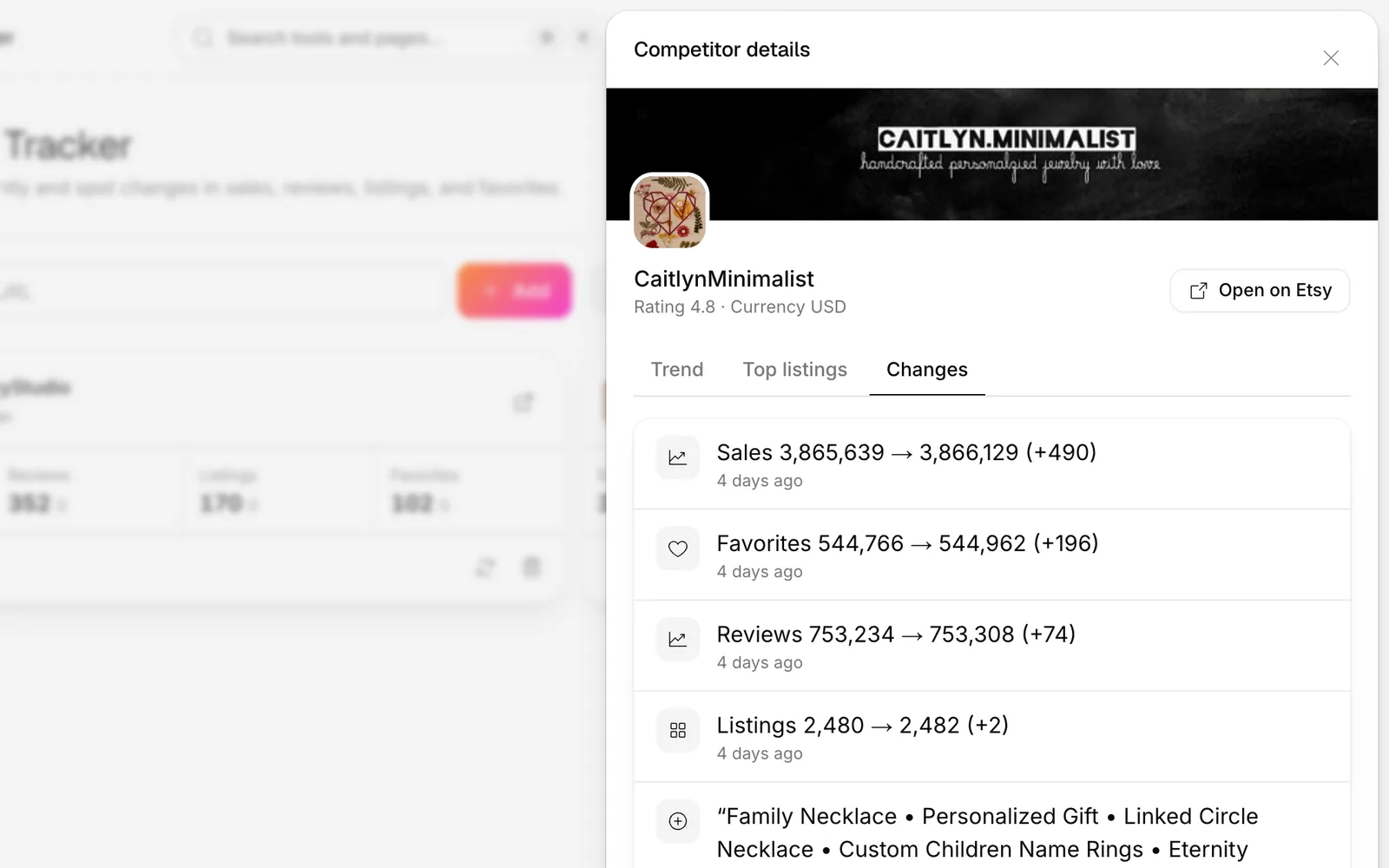
Add a rival shop by name or Etsy link. Every night we record its sales, reviews, favorites and active listing count, keep a 30-day trend and log what changed, including price moves on its most-favorited listings.
The free plan tracks 1 shop · tracking spends no credits
THE PROBLEM
CHECKING RIVALS BY HAND NEVER STICKS
You open a competitor's shop, note the sales number and promise to check again next week. Then you forget, or you remember the number wrong. Without a record there is no trend, only a feeling that they're growing faster than you are.
THE FIX
A RECORD THAT KEEPS ITSELF
Competitor Tracker writes the numbers down for you, every night, for every shop you follow. From the second update you see what moved and by how much. After a few weeks the trend shows whether a rival is speeding up, slowing down or reshaping its catalog.
WHAT IT RECORDS
SIX THINGS IT WRITES DOWN FOR YOU
Everything comes from the numbers Etsy shows for the shop, collected once a night and compared with the night before. Nothing is estimated.
Sales
The shop's total sales counter. The change between two updates tells you how many sales it made in between.
Reviews
The shop's total review count, with its star rating shown next to it.
Favorites
How many people have favorited the shop itself, tracked night after night.
Active listings
How many listings are live. A rise or a drop shows the shop expanding or trimming its catalog.
Price changes
Price moves on the shop's most-favorited listings, logged with the old and the new price at the next nightly update.
Top listings
The 12 most-favorited listings among the shop's newest 100, with image, price and link. When one enters or leaves that list, it lands in the change feed.
HOW IT WORKS
ADD IT ONCE, IT KEEPS COUNTING
Add a shop
Type the shop name or paste its Etsy link. The first collection is queued right away, so you don't wait for the night to see its numbers.
Nightly update
Every night each tracked shop is collected again and compared with the previous update. Changes show from the second update on; before that there is nothing to compare.
Read what moved
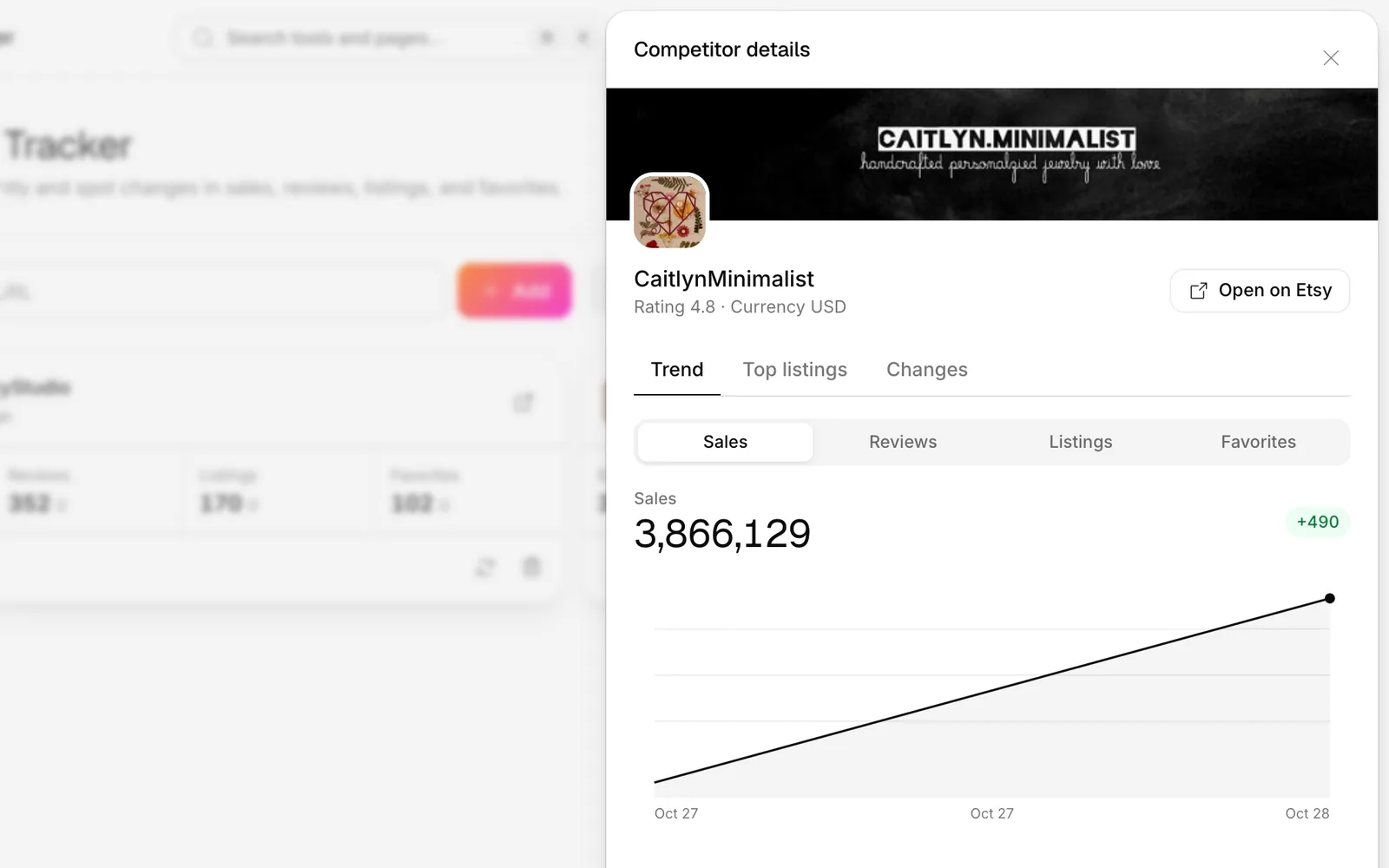
Cards show the four counters with their change. Open a shop for the 30-day trend, its 12 most-favorited listings and a feed of everything that changed.
PLANS AND LIMITS
AS MANY SHOPS AS YOUR MARKET NEEDS
How many shops you can follow at once depends on your plan. Tracking itself never spends credits: not when you add a shop, not on the nightly update and not when you refresh a shop by hand.
- Free: 1 shop
- Growth: 5 shops
- Pro: 10 shops
- Scale: 20 shops
- Manual refresh: once every 6 hours per shop
COMMON QUESTIONS
Can I see a competitor's revenue?
No. It records what Etsy shows for the shop: total sales, reviews, favorites, active listings, rating and listing prices. The sales counter tells you how many sales happened between two updates, not what they were worth. We don't estimate revenue, because there is no number to measure it against.
How often is the data updated?
Once a night, automatically, for every shop you track. You can also refresh a shop by hand when you need fresher numbers; each shop can be refreshed once every six hours. Every card shows when it was last synced, so you always know how old a number is.
Why don't I see changes right after adding a shop?
A change needs two points to compare. The first collection sets the starting line, and the first difference arrives with a later nightly update, within two days at most. From there the trend chart fills in, showing up to the last 30 days for each of the four counters.
Does tracking cost credits?
No. Adding a shop, the nightly updates and manual refreshes spend no credits on any plan. What changes by plan is how many shops you can follow at once: one on Free, five on Growth, ten on Pro and twenty on Scale. Removing a shop frees its slot and deletes its history.
Which listings are in the top sample?
The 12 with the most favorites among the shop's newest 100 active listings, each with its image, price and link. When a listing enters or leaves those 12, or one of them changes price, it is written to the change feed. That is how you notice a listing taking off or a discount.
KNOW WHAT YOUR RIVALS
changed last night
Add the shops you keep checking by hand. From tonight on, the numbers are written down for you.
No credit card · the free plan tracks 1 shop
Free tools
Try it free, no account needed
These Etsy tools run in your browser without signing up. Start here and move to the dashboard when you need more.