Etsy shop analytics YOUR SHOP, connected the official way
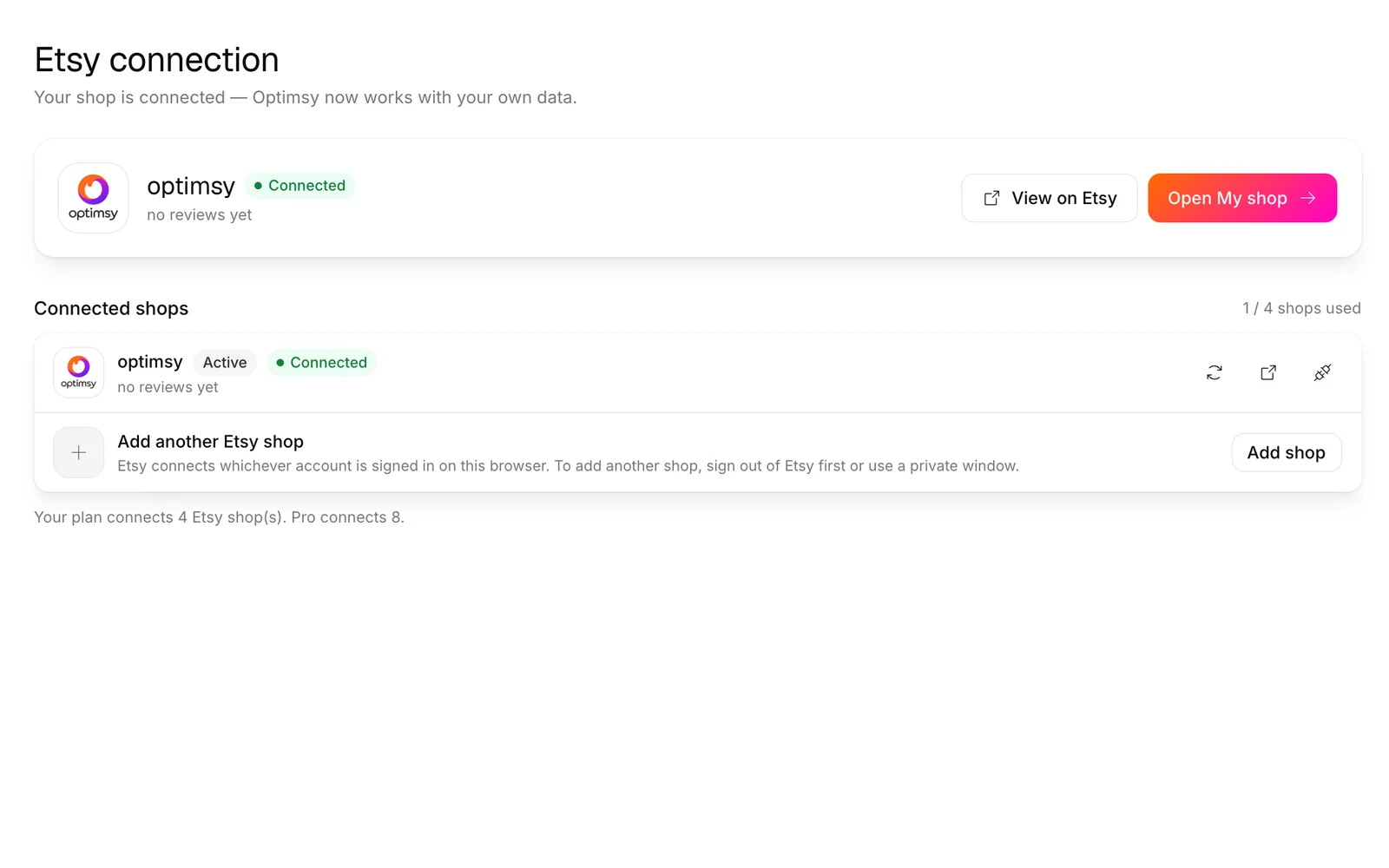
You approve the connection on Etsy's own page, and your sales, best sellers and listings land in one dashboard. Optimsy changes a listing only when you press the button — and SEO and image changes can be undone in one click.
Free plan connects one shop · writing to Etsy spends no credits
THE PROBLEM
YOUR NUMBERS ARE SPREAD ACROSS TABS
Views live in one Etsy screen, orders in another, listings in a third. Working out which design actually earns means stitching them together by hand. And when a tool offers to help, it's rarely clear what it will read — or what it might change in your shop while you're not looking.
THE FIX
ONE CONNECTION, CLEAR LIMITS
You approve access on Etsy's own consent screen. Optimsy reads your shop, listings and orders to build the Shop Dashboard. The same connection lets Publish Center, SEO Expert and Photo Studio send work to your shop — each one only when you press its button.
WHAT IT UNLOCKS
READ ACCESS, WRITE ON REQUEST
The first three cards only read your shop. The last three write to Etsy, and each one starts with a button you press.
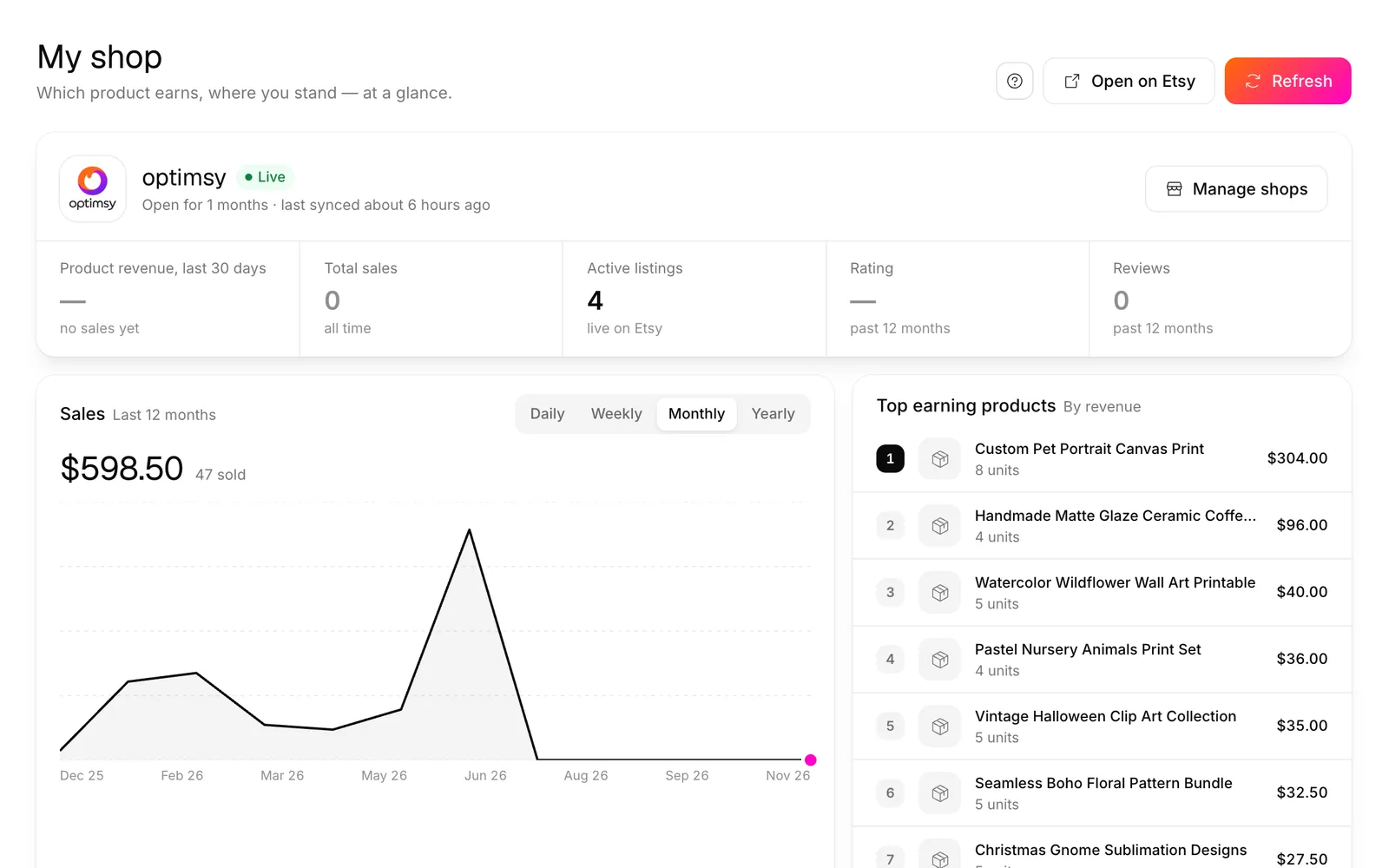
Shop summary
Total sales, rating, reviews, active listings and product revenue for the last 30 days — shipping, tax and Etsy fees excluded, cancellations and refunds deducted.
Sales trend
Revenue and units by day, week, month or year. Orders refresh daily in the background, or right away with the Refresh button.
Top earning products
Your products ranked by revenue, so you can see which design actually pays — not just which one gets views.
SEO write-back
Send a new title and tags from SEO Expert to a live listing. You see what's on Etsy now next to what will replace it.
Publish Center
Designs from Optimsy studios become new listings in your shop — left as a draft on Etsy or activated, your choice.
Photos onto a live listing
Add Photo Studio images to a listing that's already selling. Making one of them the cover is off unless you switch it on.
THE FLOW
CONNECT · SEE · ACT
Connect
Click connect and approve on Etsy's own page. You sign in to Etsy, not to us — your password never reaches Optimsy.
See
Your listings show up right away and your orders start syncing in the background; the sales chart and top earners fill in as they arrive.
Act
Send drafts from Publish Center, or write SEO and photos to live listings. Nothing changes on Etsy until you press the button.
THE UNDO BUTTON
SEE IT, WRITE IT, TAKE IT BACK
Before anything is written, the panel reads the listing live from Etsy and shows it next to the change. That live version is saved at the moment of writing, so undo puts back exactly what was there — even if you had edited the listing on Etsy just before.
- SEO write-back changes only the title and tags, and only on active listings
- If the new text matches what's already on Etsy, nothing is written
- Undoing a photo write removes only the images Optimsy added — your own photos stay untouched
- Writing to Etsy spends no credits; credits go on producing the SEO or the photos
COMMON QUESTIONS
Does Optimsy get my Etsy password?
No. Connecting uses Etsy's official OAuth sign-in: you're sent to Etsy's own page, you sign in there and approve the access. Etsy then hands Optimsy an access key limited to the permissions shown on that screen. Your password is typed only on Etsy and never reaches us.
What exactly can Optimsy read and change?
It asks Etsy for five permissions: to read your shop, profile, listings and orders, and to write listings. It doesn't ask for permission to change shop settings or payment details. Writing is used for three things only: creating a listing from Publish Center, updating a title and tags, and adding photos.
Can it change my listings without me?
No. Every change starts with a button you press: send a draft, apply SEO or add photos. The daily background job only reads your orders; it never edits a listing. SEO and photo writes are saved together with what they replaced, so one click puts the listing back the way it was.
Can I disconnect?
Yes, whenever you like, from the Etsy Connect page. Disconnecting marks the shop as disconnected and wipes the stored access keys, so Optimsy can no longer reach your shop. Listings you already published stay on Etsy — they're yours. You can reconnect later through the same Etsy consent step.
Does connecting cost anything?
No. Connecting and the Shop Dashboard are available on every plan, including free; the free plan connects one shop and paid plans connect more. Writing to Etsy spends no credits either — credits are only spent when a studio produces something, like the SEO text or the photos you then send.
CONNECT ONCE,
see what actually sells
Approve on Etsy, open the Shop Dashboard and pick your next design from your own sales — with every change to your shop staying in your hands.
No credit card · writing to Etsy spends no credits
Free tools
Try it free, no account needed
These Etsy tools run in your browser without signing up. Start here and move to the dashboard when you need more.