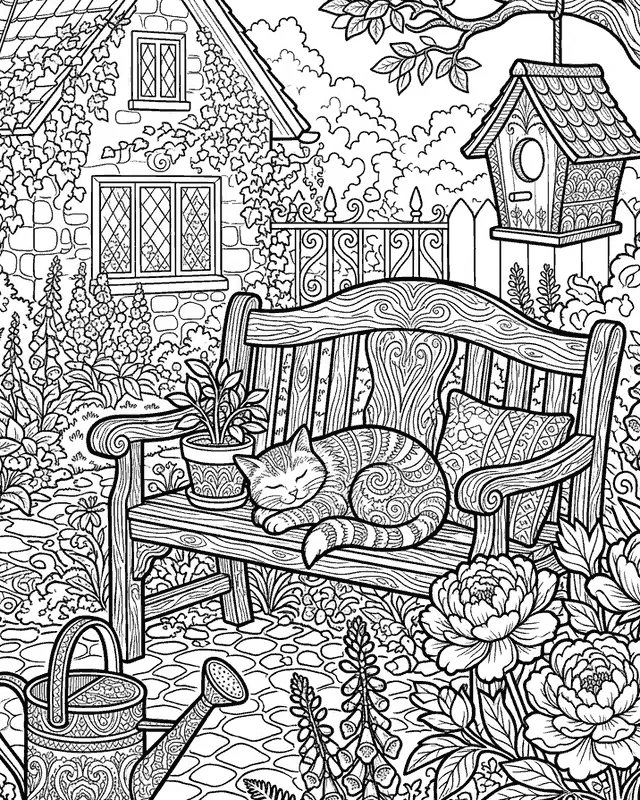
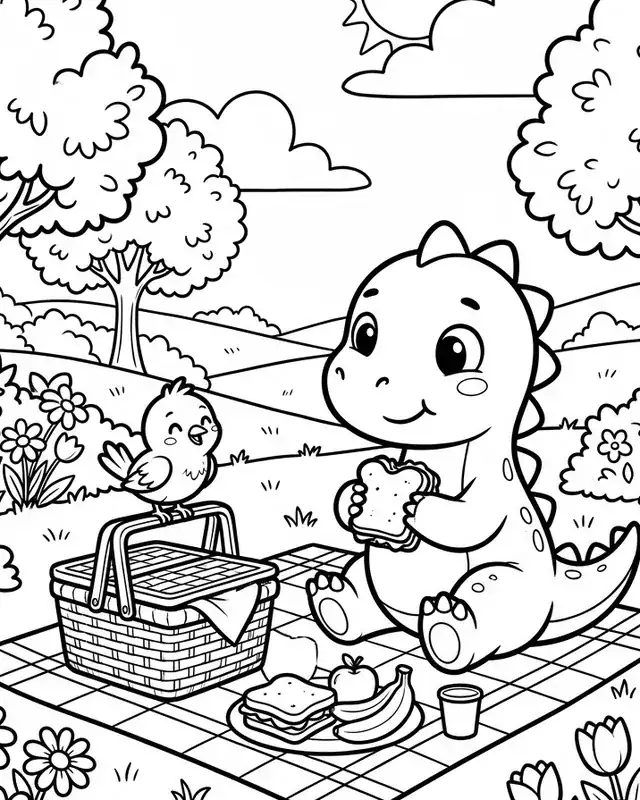
Free Etsy tool · no sign-up
Free KDP Cover Calculator
Pick your trim size, page count and paper. You get the full wrap cover size with bleed, the spine width, the safe zone and a 300 DPI template, using the numbers on Amazon KDP's help pages.
Unit
The page count of your interior PDF, the same number you'll enter on KDP.
Quick examples
Everything is calculated in your browser and the template is drawn on your device. No sign-up needed.
Result
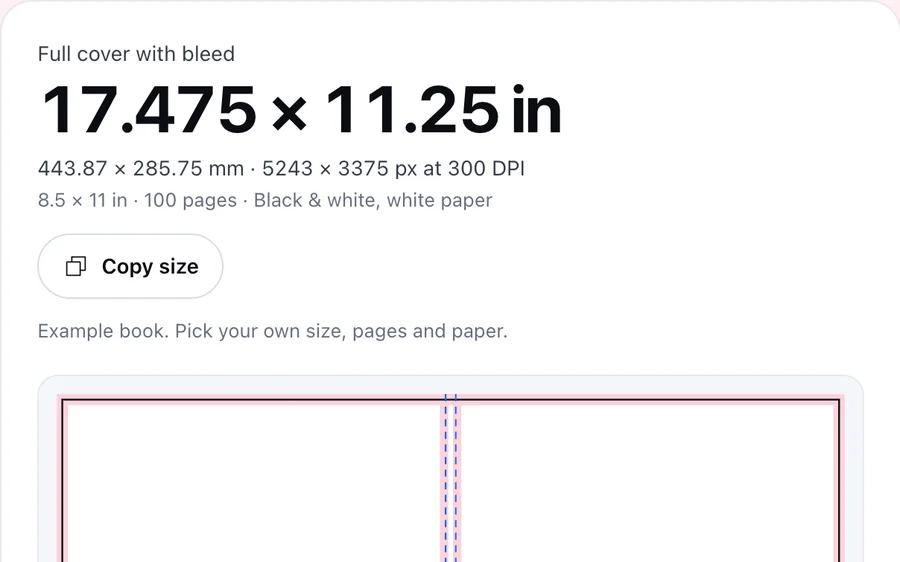
Full cover with bleed
17.475 × 11.25 in
443.87 × 285.75 mm · 5243 × 3375 px at 300 DPI
8.5 × 11 in · 100 pages · Black & white, white paper
Example book. Pick your own size, pages and paper.
- Bleed and margins: background only
- Trim line
- Spine folds
- Barcode area
- Spine width: 0.225 in (5.72 mm)100 pages × 0.002252 in per page, Amazon's thickness for this paper.
- Bleed: 0.125 in (3.18 mm)On the top, bottom and outside edges. Your background has to reach the edge of the file.
- Safe zone: 0.125 in (3.18 mm) insideKeep text inside every trim line and spine fold. Text area on each cover: 8.25 × 10.75 in.
- Barcode area: 2 × 1.2 inLower right of the back cover, 0.25 in in from the spine and the bottom trim. KDP adds the barcode here if you don't.
- AllowedSpine textText area on the spine: 0.1 in wide, 0.0625 in from each edge.
- AcceptedPage countKDP accepts 24–590 pages at this size and paper.
Cover template
A transparent 300 DPI guide: design under it, keep text out of the pink areas, then hide it before you export the PDF for KDP.
In short
A KDP paperback's spine width is the page count times the paper's thickness per page (0.002252 in for black and white on white paper), so a 100-page book has a 0.225 in spine. The full cover width is 0.125 in of bleed, the back cover, the spine, the front cover and another 0.125 in of bleed.
Calculate
Size your KDP cover in seconds
Spine from your page count
Spine width is your page count times the paper's thickness. Cream paper is thicker than white, so the same book gets a wider spine.
A template to design on
Download a transparent PNG at 300 DPI or an SVG and lay it over your design as a guide. Need the cover as an Etsy listing image too? The Aspect Ratio Calculator works out the size.
Images sharp at 300 DPI
KDP asks for at least 300 DPI. The Print Size Calculator shows how large an image prints at that resolution.
Next step
Cover sized? Make the pages inside
Every page in one style
Coloring Book draws the pages of your book together, in the same line style, plus a titled cover.
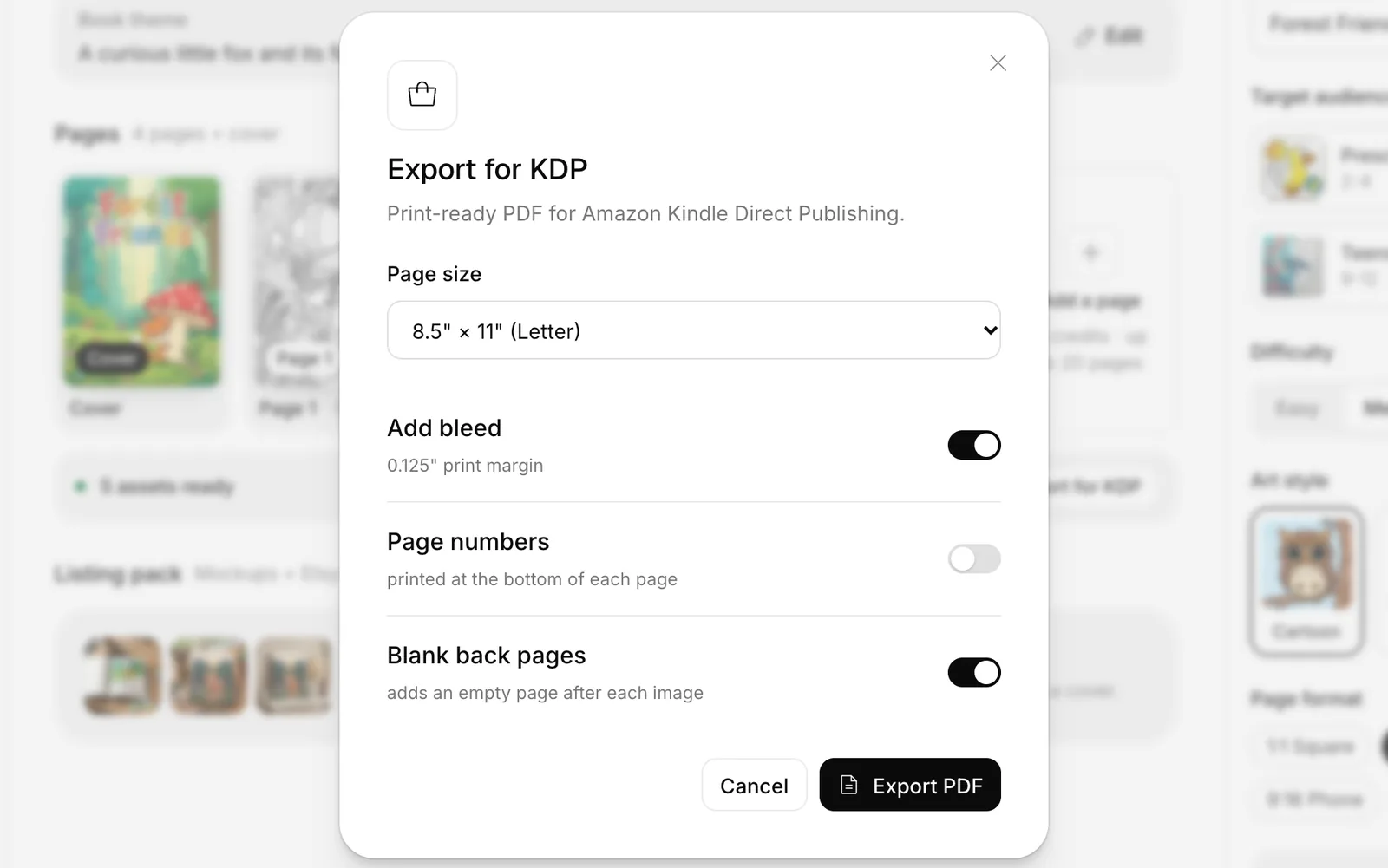
Export for KDP
Pick the page size, bleed and blank back pages, then download the interior PDF you upload to KDP. Our printables guide covers which printables sell.
Sell the same book on Etsy
SEO Expert writes the title and 13 tags for an Etsy listing of the PDF. Our digital products guide explains how selling files works.
Free to start
Try a page before you make the whole book
Test a theme first
The Coloring Page Generator draws one page from a written scene, so you can see the style before you commit to a book.
Then the listing
The Tag Generator and Title Maker write a first draft, and the Listing Checker checks it against Etsy's rules.
What each sale leaves
If you also sell the PDF on Etsy, the Profit Calculator shows what's left after Etsy's fees.
Free tools and the Optimsy dashboard
Everything you need to make and sell your book
The free tools work without an account; the rest live in the Optimsy dashboard.
- Listing CheckerFreeCheck your title and 13 tags against Etsy's rules, line by line.
- Tag GeneratorFreeDescribe your product in a sentence; get 13 tags that fit Etsy's rules.
- Title GeneratorFreeOne main title and two alternatives, key words first.
- Profit CalculatorFreeTake off Etsy's fees and see what you keep from every sale.
- Print Size CalculatorFreeSee which print sizes your image covers at 300 DPI.
- Aspect Ratio CalculatorFreeSee a size's ratio and whether it fits Etsy, print and Pinterest.
- Image Size CheckerFreeCheck a banner, shop icon or listing photo against Etsy's sizes.
- Shop AuditFreeYour shop's biggest gaps, with the report sent to your inbox.
- Coloring Page GeneratorFreeDescribe your scene and get a coloring page with closed outlines for the age group.
- Offsite Ads Fee CalculatorFreeSee what an Offsite Ads order costs you and when it stops paying.
- Free Shipping Price CalculatorFreeBuild shipping into your price without losing profit, and check the $35 US guarantee.
- SEO ExpertTitle, 13 tags and description; each tag shown with its live rival count.
- Listing ScorecardCompare your listing with the top 100 in its search and approve the fix.In the dashboard: My Shop, next to each listing
- Keyword ExplorerMeasure a keyword's rival listings and daily favorites.In the dashboard: inside a Goldmine scan
- Photo Studio12 Etsy-ready shots from a single product photo.
- Price PositionCompare your price with the listings buyers weigh it against.In the dashboard: My Shop, next to each listing
- GoldmineScan categories and rank rising niches by growth.
- Coloring BookA book of up to 20 pages, a cover and the KDP print PDF.
How the KDP cover size is calculated
KDP prints the back cover, spine and front cover as one image. The file needs 0.125 in (3.2 mm) of bleed on the top, bottom and outside edges, so the background still reaches the edge after trimming.
- Spine width = page count × paper thickness per page
- Cover width = bleed + back cover + spine + front cover + bleed
- Cover height = bleed + trim height + bleed
- Pixels = inches × 300, the minimum resolution KDP asks for
| Ink and paper | Per page (inches) | Per page (mm) | Spine at 100 pages |
|---|---|---|---|
| Black & white, white paper | 0.002252 in | 0.0572 mm | 0.225 in (5.72 mm) |
| Black & white, cream paper | 0.0025 in | 0.0635 mm | 0.25 in (6.35 mm) |
| Black & white, groundwood paper | 0.00235 in | 0.0597 mm | 0.235 in (5.97 mm) |
| Standard color, white paper | 0.002252 in | 0.0572 mm | 0.225 in (5.72 mm) |
| Premium color, white paper | 0.002347 in | 0.0596 mm | 0.235 in (5.96 mm) |
KDP trim sizes and page limits
The page range depends on ink, paper and trim size. Custom trim sizes can be 4 to 8.5 in wide and 6 to 11.69 in tall; KDP doesn't list a page maximum for them.
| Trim size | B&W white | B&W cream | B&W groundwood | Standard color | Premium color |
|---|---|---|---|---|---|
| 5 × 8 in12.7 × 20.32 cm | 24–828 | 24–776 | 24–812 | 72–600 | 24–828 |
| 5.06 × 7.81 in12.85 × 19.84 cm | 24–828 | 24–776 | 24–812 | 72–600 | 24–828 |
| 5.25 × 8 in13.34 × 20.32 cm | 24–828 | 24–776 | 24–812 | 72–600 | 24–828 |
| 5.5 × 8.5 in13.97 × 21.59 cm | 24–828 | 24–776 | 24–812 | 72–600 | 24–828 |
| 6 × 9 in15.24 × 22.86 cm | 24–828 | 24–776 | 24–812 | 72–600 | 24–828 |
| 6.14 × 9.21 in15.6 × 23.39 cm | 24–828 | 24–776 | 24–812 | 72–600 | 24–828 |
| 6.69 × 9.61 in16.99 × 24.41 cm | 24–828 | 24–776 | 24–812 | 72–600 | 24–828 |
| 7 × 10 in17.78 × 25.4 cm | 24–828 | 24–776 | 24–812 | 72–600 | 24–828 |
| 7.44 × 9.69 in18.9 × 24.61 cm | 24–828 | 24–776 | 24–812 | 72–600 | 24–828 |
| 7.5 × 9.25 in19.05 × 23.5 cm | 24–828 | 24–776 | 24–812 | 72–600 | 24–828 |
| 8 × 10 in20.32 × 25.4 cm | 24–828 | 24–776 | 24–812 | 72–600 | 24–828 |
| 8.25 × 6 in20.96 × 15.24 cm | 24–800 | 24–750 | 24–784 | 72–600 | 24–800 |
| 8.25 × 8.25 in20.96 × 20.96 cm | 24–800 | 24–750 | 24–784 | 72–600 | 24–800 |
| 8.27 × 11.69 in21 × 29.7 cm | 24–780 | 24–730 | 24–764 | Not available | 24–590 |
| 8.5 × 8.5 in21.59 × 21.59 cm | 24–590 | 24–550 | 24–578 | 72–600 | 24–590 |
| 8.5 × 11 in21.59 × 27.94 cm | 24–590 | 24–550 | 24–578 | 72–600 | 24–590 |
Numbers from Amazon KDP's own help pages, last checked November 2, 2026. Results were also compared with Amazon's cover calculator.
How it works
Pick trim, pages and paper
Choose one of KDP's trim sizes or type a custom one, then the page count and the ink and paper you'll pick on KDP.
Read the full cover size
You get the full wrap size with bleed in inches, millimeters and pixels at 300 DPI, plus the spine, safe zone and barcode area.
Download the template
Lay the PNG or SVG over your design as a guide, keep text out of the pink areas, then hide it before you export the PDF.
Frequently asked questions
How do I calculate my KDP cover size?
For the width, add the bleed, back cover, spine, front cover and bleed. For the height, add the bleed, trim height and bleed. KDP's bleed is 0.125 inches. An 8.5 × 11 inch book with 100 pages on white paper has a 0.225 inch spine and a 17.475 × 11.25 inch full cover.
How wide is the spine of a KDP paperback?
Multiply the page count by the paper's thickness: 0.002252 inches per page for black and white on white paper and for standard color, 0.0025 for cream, 0.00235 for groundwood and 0.002347 for premium color. A 120-page book on cream paper has a 0.3 inch spine; on white paper it's 0.27 inches.
How many pages do I need for text on the spine?
Amazon's cover guide says at least 79 pages in most places and more than 79 in one sentence, and Cover Creator needs 80. To be safe, put spine text only on books with 80 pages or more, and keep it 0.0625 inches from each spine edge so it doesn't wrap onto the covers.
What resolution should a KDP cover be?
Images on the cover should be at least 300 DPI, so every inch of the full cover needs 300 pixels. An 8.5 × 11 inch book with 100 pages on white paper needs a cover image of at least 5243 × 3375 pixels. You then upload the finished cover to KDP as a single PDF file.
Where does the barcode go on a KDP cover?
If you don't add your own barcode, KDP places one in a 2 × 1.2 inch white box in the lower right corner of the back cover. Anything you put there gets covered, so keep text and important images out of it. The template marks the box in yellow, 0.25 inches in from the spine and the bottom trim.
What is the minimum and maximum page count on KDP?
Every paperback needs at least 24 pages, and standard color needs 72. The maximum depends on ink, paper and trim size: 828 pages on white paper at most sizes, but 590 at 8.5 × 11 inches. KDP also rounds an odd page count up to the next even number, which changes the spine slightly.
Is this template from Amazon?
No. Optimsy draws it in your browser from the numbers on Amazon KDP's help pages, and we compared the results with Amazon's own cover calculator. It's a guide with a transparent background: design underneath it, then hide it before you export, because KDP asks you to remove template text before you upload.
No sign-up needed
Free KDP Cover Calculator
Pick your trim size, page count and paper. You get the full wrap cover size with bleed, the spine width, the safe zone and a 300 DPI template, using the numbers on Amazon KDP's help pages.
No card needed · 25 credits on a new account